构建强大的物理AI模型需要大规模、多样化且符合物理规律的可控数据。在现实世界中采集大规模、多样化的数据集用于训练,不仅成本高昂、耗时较长,还可能伴随安全风险。 NVIDIA Cosmos开放世界基础模型(WFM)通过生成可扩展、高保真的合成数据,为物理AI提供支持,同时还能增强现有数据集,有效应对上述挑战。
NVIDIA Cosmos Cookbook 是一份综合指南,用于指导如何使用 Cosmos WFM 及相关工具,涵盖推理、运维、后训练和评估等环节的详细操作步骤。
该 Cookbook 提供了多种基于 NVIDIA Cosmos Transfer,一种世界到世界的风格迁移模型的方法,适用于可扩展的数据生成工作流。
该 Cookbook 提供了多种基于 NVIDIA Cosmos Transfer,一种世界到世界的风格迁移模型的方法,适用于可扩展的数据生成工作流。在本博客中,我们将展示如何运用 Cosmos Transfer 技术来替换视频背景、为驾驶数据引入新的环境条件,并为机器人导航、城市交通等多样化场景生成高质量数据。
增强视频数据
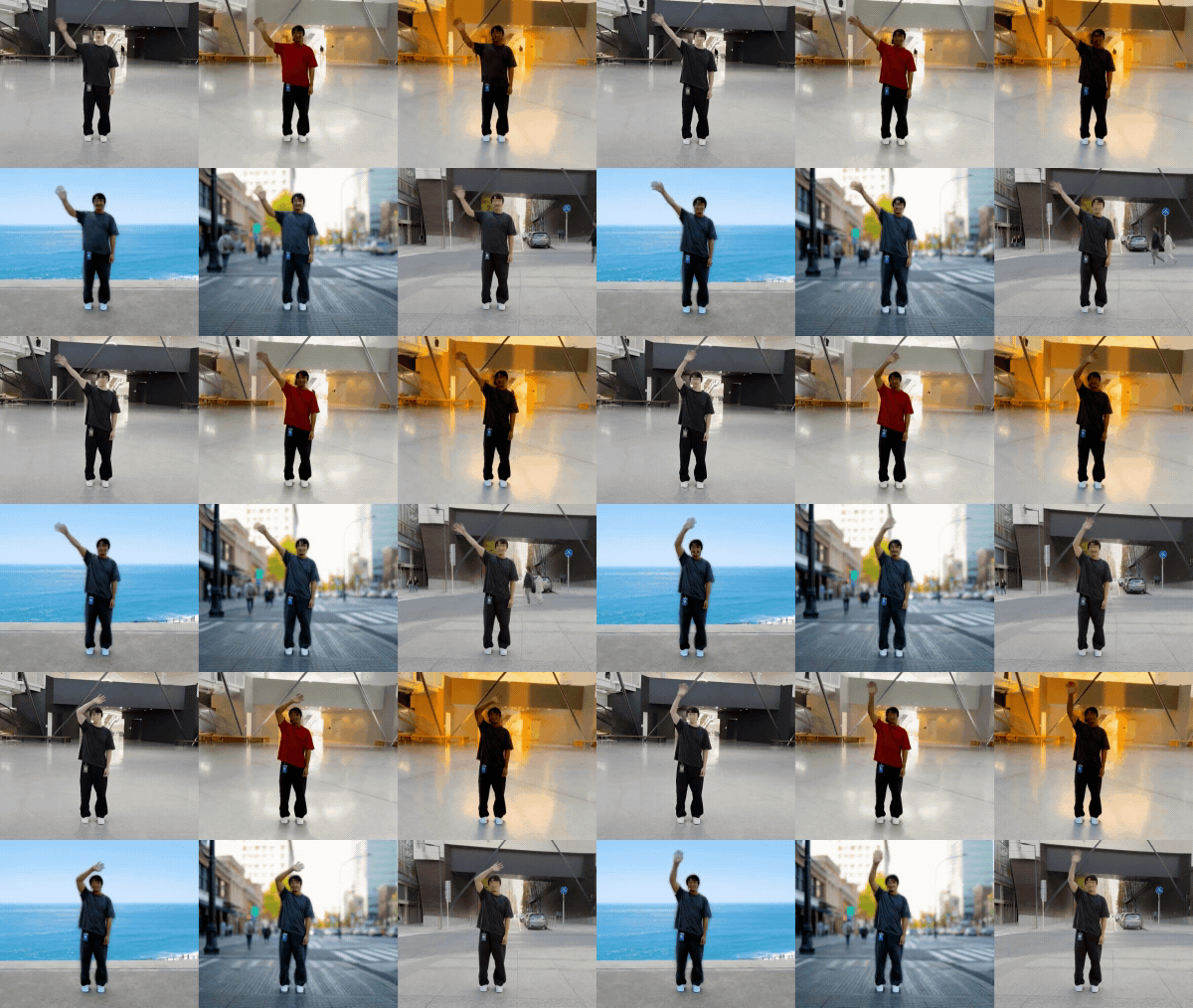
为了扩展现有的真实数据集,开发者通常希望在保持时间连续性的前提下,通过调整背景、光照或物体属性等方式,生成同一场景的逼真变体。
《Cookbook》中的 Multi-Control Recipes 部分展示了如何利用 Cosmos Transfer,结合多种控制模式实现引导式视频增强。另外,核心概念 部分进一步阐明,通过策略性地组合不同的控制模式,能够生成高保真且结构一致的视频结果。开发者可综合运用深度、边缘、分割和可视化控制,并结合文本提示,精确调节视频的背景、光照、物体几何、颜色或纹理等属性,同时确保指定区域在时间和空间上的连贯性。
该方法对机器人开发者尤为重要,因为在不同环境和条件下识别人类手势(如挥手或打招呼)往往需要耗费大量成本和时间。
控制模式
- 深度: 通过考虑距离与视角,确保三维真实感与空间关系的一致性。
- 分割: 实现对物体、人物或背景的完整转换。
- 边缘: 保留视频原有的结构、形状与整体布局。
- Vis: 默认应用平滑或模糊效果,同时保持底层视觉特征不变。
技术概述
- 控制融合: 结合多个调节信号(
edge、seg、vis),在几何保持与真实感合成之间实现平衡。 - 遮罩感知编辑: 通过二进制或反向遮罩明确可编辑区域,确保变换的局部性。
- 参数化控制: 利用 JSON 配置中的
control_weight调节各模态的影响,实现跨编辑任务的一致性与可复现的调控。
核心配方
1. Background change: Replace with realistic backgrounds using filtered_edge, seg (mask_inverted) , and vis to preserve subject motion.

2. 照明变化:通过 edge + vis 调整照明条件(例如,从白天变为夜晚,或从室内转为室外)。

3. 颜色/纹理变化: 通过纯边缘控制来改变表面外观,同时保持结构的稳定性,确保由对象边缘所定义的结构得以完整保留。

4. 对象更改: 通过低权重的 edge、高权重的 seg (mask) 和中等权重的 vis,实现对象类别或形状的转换。

命令示例
从这里开始使用 Cosmos Transfer 2.5。您可在此查阅本教程中所用全部核心配方的配置信息。
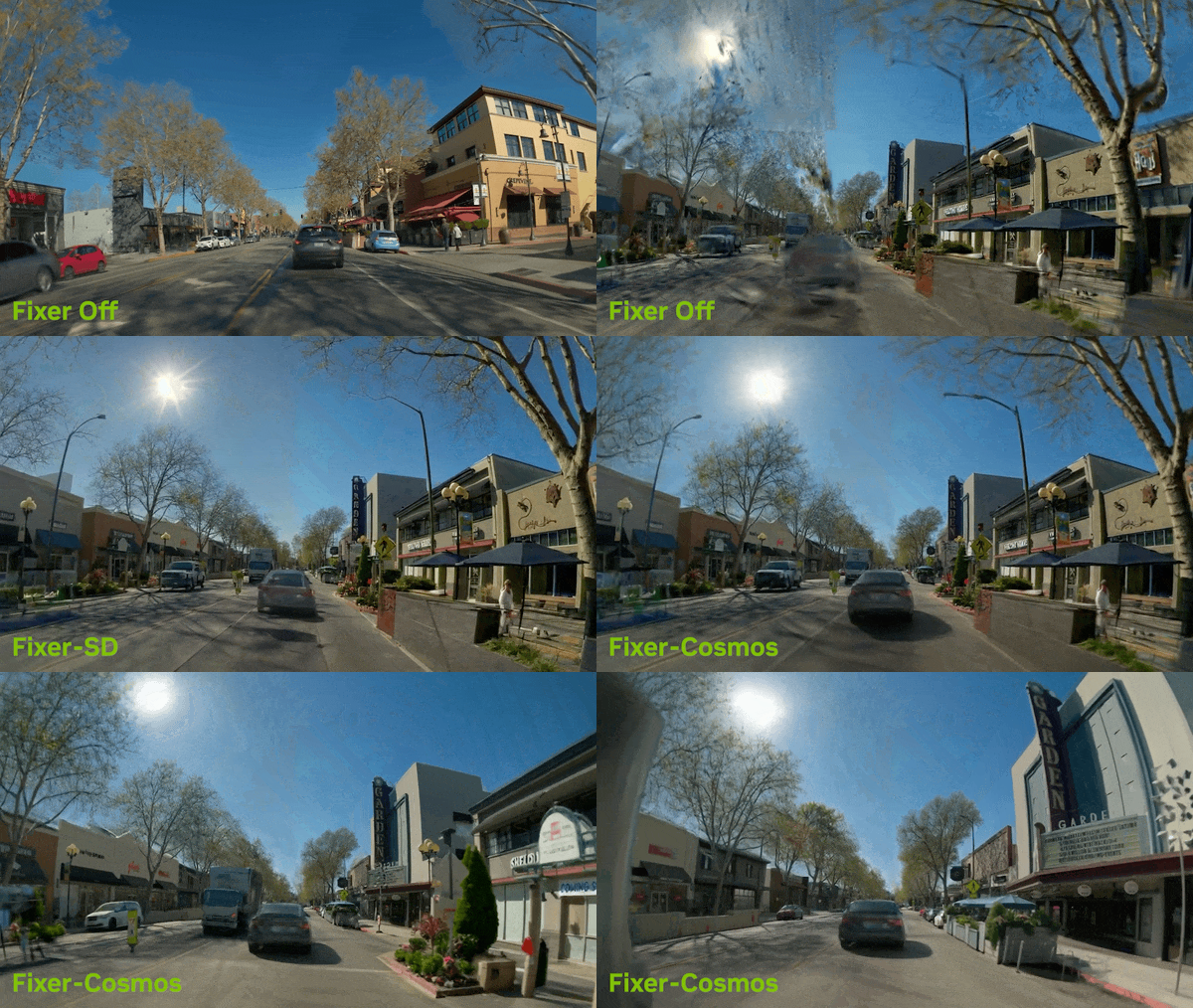
为自动驾驶开发打造全新环境

该 recipe 集合展示了如何在智能汽车研究中利用 Cosmos Transfer 实现领域适应与合成数据增强。通过转换现实世界或模拟驾驶视频在不同环境条件下的表现,开发者能够构建多样化的数据集,用于训练更加可靠的感知与规划模型。
技术概述
- 多控制推理: 该工作流融合了四种控制模式(
depth、edge、seg和vis),每种模式均配备可调节的control_weight参数,用于协调真实性、结构清晰度与语义保真度之间的关系。 - 提示条件生成: 通过文本提示设定场景条件,例如“夜晚有明亮的路灯”、“冬季大雪纷飞”或“日落时分路面反光”等情境。
基本参数的命令示例
{
    // Update the paramater values for control weights, seed, guidance in below json file
    "seed": 5000,
    "prompt_path": "assets/prompt_av.json",           // Update the prompt in the json file accordingly
    "video_path": "assets/av_car_input.mp4",
    "guidance": 3,
    "depth": {
        "control_weight": 0.4
    },
    "edge": {
        "control_weight": 0.1
    },
    "seg": {
        "control_weight": 0.5
    },
    "vis": {
        "control_weight": 0.1
    }
}
单击此处可查看该工作流程的更多示例命令。
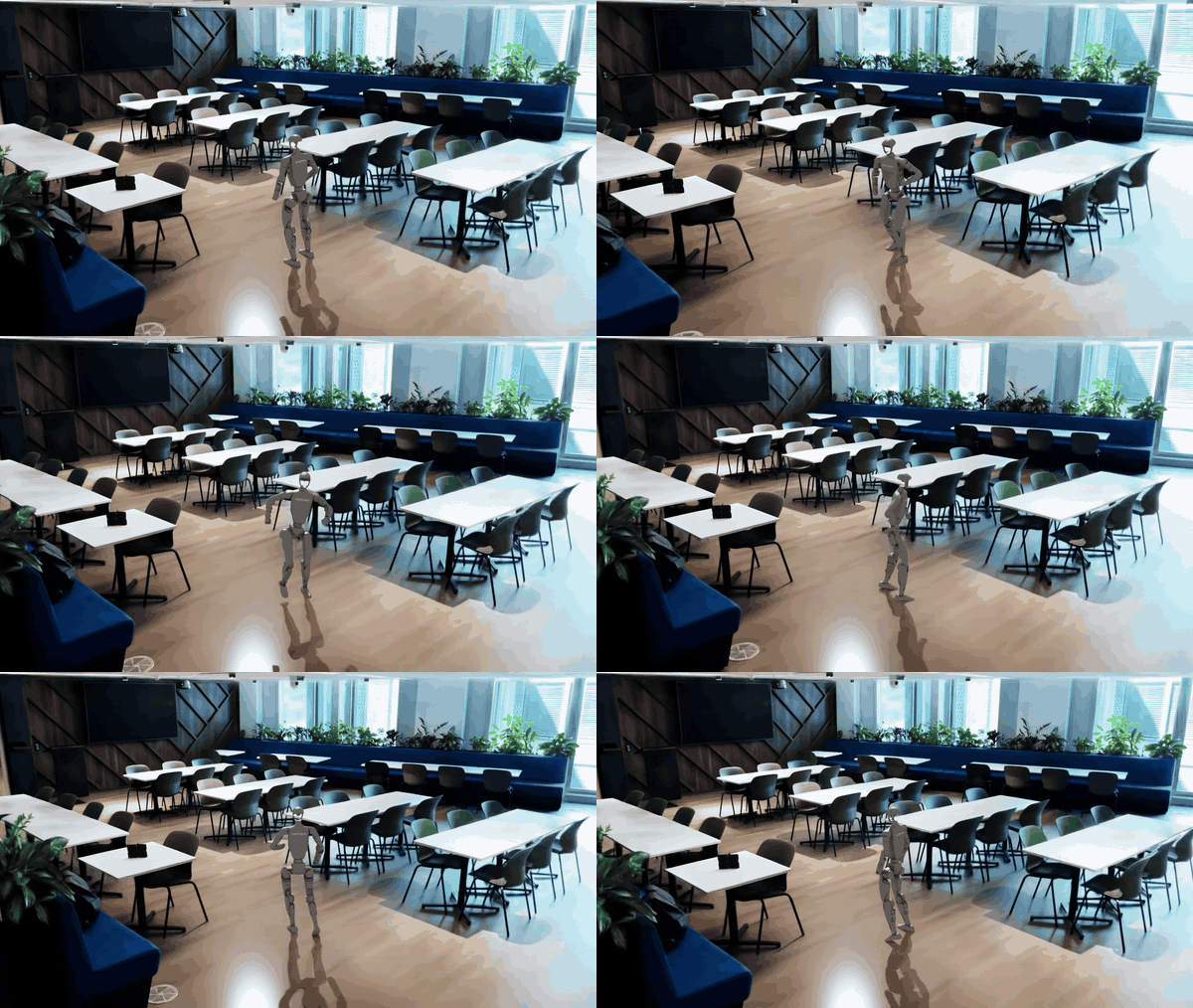
利用 Sim2Real 数据增强提升机器人移动性能

由于视觉与物理特性之间的差异,机器人导航模型通常难以将仿真环境中的训练成果有效迁移到现实场景。Sim2Real 数据增强方法展示了 Cosmos Transfer 如何通过在仿真中生成具有目标域特征的逼真数据,提升移动机器人在现实环境中的性能表现。
技术概述
该工作流集成了 NVIDIA X-Mobility 和 Mobility Gen:
- Mobility Gen: 基于 Isaac Sim,可为轮式及有腿机器人生成包含 RGB、深度和分割真值的高保真数据集。
- X-Mobility: 能够从策略内数据和策略外数据中学习导航策略。
- Cosmos Transfer: 采用多模态控制(边缘:0.3,分:1.0),在保持几何结构、运动和标注不变的前提下,实现光照、材质和纹理的调整。

用于准备 Cosmos Transfer 输入的命令示例
uv run scripts/examples/transfer1/inference-x-mobility/xmob_dataset_to_videos.py data/x_mobility_isaac_sim_nav2_100k data/x_mobility_isaac_sim_nav2_100k_input_videos
uv run scripts/examples/transfer1/inference-x-mobility/xmob_dataset_to_videos.py data/x_mobility_isaac_sim_random_160k data/x_mobility_isaac_sim_random_160k_input_videos
单击此处,查看该工作流程的更多示例命令这里.
为智慧城市应用生成合成数据

本指南包含一个端到端的工作流,可用于生成城市交通场景的逼真合成数据,从而加速智慧城市应用中感知系统与<视觉语言模型(VLM)>的开发。该工作流首先在CARLA中模拟动态城市交通场景,再通过Cosmos Transfer进行处理,生成视觉效果真实且标注质量高的视频与数据集。

在此处可访问合成数据生成的工作流程。
在合成数据生成中,评估生成内容的质量对于确保结果的真实性和可靠性至关重要。阅读本案例研究,了解如何利用视觉语言推理模型 Cosmos Reason 来评估物理合理性,判断合成视频中的交互与运动是否符合现实世界中的基本物理规律和约束条件。
如何使用并贡献您自己的合成数据生成方法
要使用 Cosmos Cookbook,可先探索推理或训练后的相关方法,这些方法为视频生成、从仿真到现实的增强以及模型训练等任务提供了详细的分步指导。每个 recipe 梳理了一个完整的工作流程,并指向 scripts/ 目录中对应的可执行脚本。
如需了解控制模式、数据管理或评估等主题的详细背景信息,请参阅概念指南。所有 recipe 均包含配置要求和命令示例,可帮助您复现或调整结果。
作为一个开源社区平台,Cosmos Cookbook 汇聚了 NVIDIA 的工程师、研究人员和开发者,共同分享实用技术,并通过协作推动生态系统的拓展。我们欢迎贡献者添加新方法、优化工作流程并分享实践经验,以促进 Cosmos 模型在后训练与部署方面的最佳实践。请按照以下步骤,为主仓库的 Cookbook 资源做出贡献。
1. Fork 并设置
Fork Cosmos Cookbook 代码库,然后克隆到本地并完成配置。
git clone https://github.com/YOUR-USERNAME/cosmos-cookbook.gitcd cosmos-cookbookgit remote add upstream https://github.com/nvidia-cosmos/cosmos-cookbook.git# Install dependenciesjust install# Verify setup
just serve-internal # Visit http://localhost:8000
2. 创建分支
git checkout -b recipe/descriptive-name # or docs/, fix/, etc.
3. 进行更改
按照以下模板添加内容,然后进行测试:just serve-internal # Preview changes
just test # Run validation
4. 提交和推送
git add .git commit -m "Add Transfer weather augmentation recipe"
git push origin recipe/descriptive-name
5. 创建拉取请求
创建拉取请求并提交 PR 以供审核
6. 地址反馈
根据评论意见更新您的分支:
git add .git commit -m "Address review feedback"
git push origin recipe/descriptive-name
PR 将自动更新,待获得批准后,团队会合并您的贡献。
7. 同步您的分支
开始新工作之前:
git checkout maingit fetch upstreamgit merge upstream/main
git push origin main
有关模板和指南的更多详细信息,请点击此处
开始使用
探索 Cosmos Cookbook,发现更多适合您具体应用场景的实用方案。
Cosmos Cookbook 旨在打造一个专属空间,供 Cosmos 团队与社区成员公开分享并共同贡献实用知识。我们诚邀您提交修改建议与内容贡献,携手共建这一宝贵资源。了解如何参与贡献的详细信息。如何参与贡献。
详细了解 NVIDIA 研究。
NVIDIA 研究团队始终站在人工智能创新的前沿,NVIDIA 研究团队 持续推动机器学习、自动驾驶、机器人、图形与仿真等领域的技术进步。立即探索这些突破性进展。
通过订阅 NVIDIA 新闻,在 LinkedIn、Instagram、X 和 Facebook 上关注 NVIDIA AI,并加入 NVIDIA Cosmos 论坛,随时掌握最新资讯。